YouTube Thumbnail Size & Resolution Checker — see the real pixels of every file
Paste any video link and see the exact resolution of every thumbnail YouTube stores for it: 1280×720, 640×480, 480×360, 320×180 and 120×90, with honest availability. Free, no account.
Available sizes honest labels
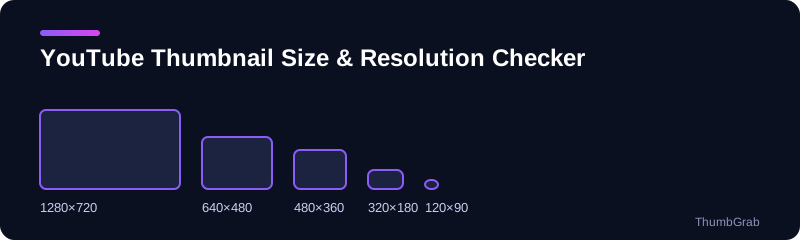
The sizes YouTube stores
YouTube keeps several renders of every thumbnail. The full list below is what a downloader can fetch; which ones exist depends on how the video was uploaded.
| File | Resolution | Ratio | Exists for |
|---|---|---|---|
| maxresdefault | 1280×720 | 16:9 | HD uploads |
| sddefault | 640×480 | 4:3 | Almost all videos |
| hqdefault | 480×360 | 4:3 | Every video |
| mqdefault | 320×180 | 16:9 | Every video |
| default | 120×90 | 4:3 | Every video |
Why checking matters
A file name does not guarantee a size, and some sites serve a small placeholder under the name of a bigger file. This checker reads the real resolution of each file and shows it next to the download, so the number you see is the number of pixels you get.
When to use which size
- Articles, documents and analysis: 1280×720.
- Lists and compact previews: 320×180.
- Older videos without an HD file: 640×480, with the black bars cropped if needed.
What the checker does
For any link you paste, ThumbGrab requests each thumbnail size and reads the real width and height of what comes back. If a size does not exist, it is marked unavailable instead of being shown as if it did. That makes it a quick way to find out whether a video has a full HD thumbnail, to compare the sizes side by side, or to confirm what a competitor's thumbnail really looks like at full resolution.
Two meanings of thumbnail size
People who search for the YouTube thumbnail size usually want one of two answers. The first is the size to design for when uploading a custom thumbnail, which YouTube defines on its help page. The second is the size of the files YouTube actually serves for a video. This page covers both: the table above shows the files that exist, and the guides below explain the upload requirements.
How to check the size of any thumbnail
Paste a video link into the box and ThumbGrab lists every file that exists, with its true width and height beside the preview. That is more reliable than reading a file name, because a name such as maxresdefault only says what a file should be, not what it is. If a file does not exist, it is marked as unavailable.
Why the sizes differ
- The 1280×720 and 320×180 files are 16:9, the shape of a normal video frame.
- The 640×480 and 480×360 files are 4:3 and carry black bars added by YouTube.
- The 120×90 file is the smallest fallback, available for every video.
What to do with this information
For a blog post or a document, take the 1280×720 file. For a compact list, 320×180 is the right shape and needs no cropping. For an older video that has no HD file, take 640×480 and crop the bars if you need a clean 16:9 image.
Designing for the smallest size
Most thumbnails are seen small: in a phone feed, in a sidebar or in a list of search results. A design that looks good at 1280×720 can turn to mush at 320×180 if the text is thin or the subject is far from the camera. A reliable way to test is to shrink your image to about 320 pixels wide and look at it for two seconds. If you can still tell what the video is about, the thumbnail works at every size in the table above.
A checklist before you upload
- Is the image 16:9 and at least 1280×720?
- Is the file within the size limit and in an accepted format?
- Is the text large, short and high contrast?
- Does it still read at 320 pixels wide?
The upload requirements are published by YouTube and change from time to time, so the guides below point to its help page instead of copying every figure.
Is a YouTube thumbnail 1280x720 or 1920x1080?
The largest file YouTube serves publicly is 1280×720. Creators can upload bigger 16:9 images, and YouTube's help page lists the upload limits, but what a downloader receives is generated at up to 1280×720.
Is a YouTube thumbnail 16:9 or 4:3?
The real thumbnail is 16:9. The 640×480 and 480×360 files are 4:3 renders with black bars added at the top and bottom, which is why they look squarer. If you need a clean image, use the 16:9 file or crop the bars.
What is the ideal YouTube thumbnail size?
For uploads, use a 16:9 image, ideally 1280×720 or larger, in a format YouTube accepts, and check YouTube's help page for the current limits because they change. Design it so it still reads at about 320 pixels wide. The guide on YouTube thumbnail size and requirements goes through the checklist.
Learn more
- Official YouTube thumbnail size and requirements: resolution, ratio, file size and format.
- YouTube thumbnail sizes explained: every file name, its resolution and when it exists.
- Why maxresdefault.jpg returns a 404: why the HD file is missing and what to use instead.
- Free YouTube thumbnail downloader: the main tool for any video.
Frequently asked questions
What size is a YouTube thumbnail?
The files YouTube serves range from 1280×720 down to 120×90. What creators upload is a different matter: YouTube's help page currently recommends 16:9 images, with a minimum width of 640 pixels.
Is a YouTube thumbnail 1280×720 or 1920×1080?
The largest public file is 1280×720. You can upload a larger image, but the downloadable thumbnail is generated at up to 1280×720.
What aspect ratio is a YouTube thumbnail?
16:9. The 4:3 files, 640×480 and 480×360, have black bars added at the top and bottom.
Why is the 1280×720 file missing for some videos?
It is only generated for HD uploads or sufficiently large images. Older videos often lack it, and the smaller sizes exist for every video.
Is a YouTube thumbnail 16:9 or 4:3?
The real thumbnail is 16:9. The 640×480 and 480×360 files are 4:3 renders with black bars added.
What is the ideal YouTube thumbnail size?
Use a 16:9 image, ideally 1280×720 or larger, and check YouTube's help page for the current limits.