YouTube Thumbnail Size and Requirements
There are two different questions hiding behind the phrase thumbnail size: what you should upload as a creator, and what files YouTube actually serves. This guide answers the first.
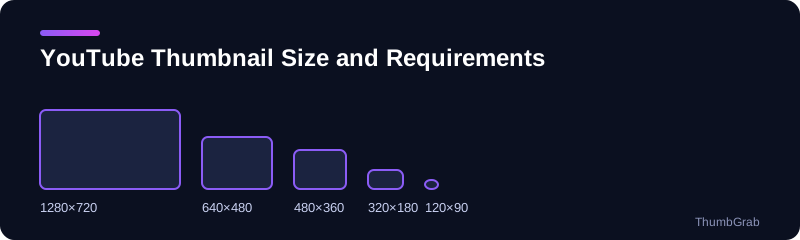
What creators upload
YouTube's help page currently recommends a 16:9 thumbnail at up to 3840×2160 pixels, with a minimum width of 640 pixels, in JPG or PNG, and a file size limit of 2 MB on mobile and 50 MB on desktop. For years the commonly quoted recommendation was 1280×720 with a 2 MB limit, and many guides still say so. YouTube changes these numbers, so treat its help page as the final word.
Why 16:9 matters
Video players, search results and recommendations all show thumbnails in a 16:9 frame. A 4:3 or square image is cropped or padded, so design at 16:9 and keep key content away from the edges.
What gets served is different
Whatever you upload, YouTube stores smaller renders of it. A downloader receives those files, not your original upload. To see the exact resolutions for any video, use the YouTube thumbnail size checker: it lists each file with its real pixel size. The files are explained one by one in the next guide on YouTube thumbnail sizes explained.
A quick checklist
- Keep the ratio at 16:9.
- Use at least 1280×720 so the HD file can be generated.
- Stay under the file size limit for the device you upload from.
- Check the result on a phone, where the thumbnail is smallest.
Want to see how a competitor's thumbnail is stored? Paste its link into the download thumbnails from YouTube.
Where to read the rules
The current figures for resolution, format and file size are on YouTube's own help page on thumbnails. Because YouTube revises them, we link to it instead of copying every number, and we recommend checking it before you prepare a large batch of thumbnails.
Design tips that survive small sizes
- Use large, high-contrast text of a few words at most.
- Make one subject, ideally a face or an object, fill the frame.
- Avoid details in the bottom right corner, where the video length badge sits.
Test before you publish
Shrink the image to about 320 pixels wide, which is close to what a phone list shows. If you can still read it and tell what it is about, the thumbnail works at every size.
Frequently asked questions
What is the recommended YouTube thumbnail size?
YouTube's help page currently recommends a 16:9 image up to 3840×2160, with a minimum width of 640 pixels.
What file formats are allowed?
JPG and PNG according to YouTube's help page at the time of writing.
What is the file size limit?
2 MB on mobile and 50 MB on desktop, according to the same help page.
Is 1280×720 still fine?
Yes. It was the long-standing recommendation, it is 16:9, and it is large enough to generate the HD file.
Do the limits ever change?
Yes. YouTube updates them, so check the help page before you design.
Keep reading
- Next guide: YouTube thumbnail sizes explained
- The tool for this topic: YouTube thumbnail size
- Back to the download thumbnails from YouTube