How to Download a YouTube Shorts Thumbnail
A Short has a thumbnail just like a regular video, and you can save it in about ten seconds. Here is the whole process, on phone or computer, and what to expect from the files.
Step by step
- Copy the Short's link. In the YouTube app, tap Share, then Copy link. On a computer, copy the address from the browser bar. A Short link looks like
youtube.com/shorts/VIDEO_ID. - Paste it into the box. Open the free YouTube thumbnail downloader, paste the link and press Get thumbnails. A plain 11-character video ID works too.
- Pick a size. Every size that exists for that Short is listed with its resolution. Choose the largest one for the best quality and press download.
What you get
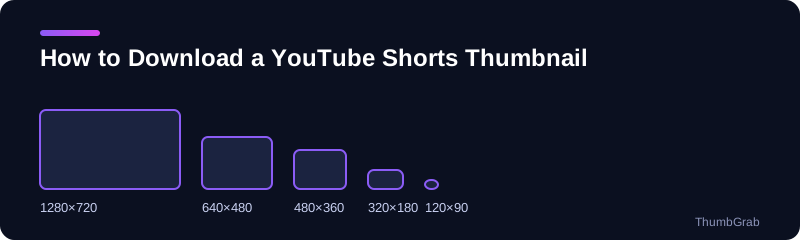
YouTube generates the same family of preview files for a Short as for any other video: 1280×720, 640×480, 480×360, 320×180 and 120×90. We checked this on a real Short and every one of those files existed. The 640×480 and 480×360 files are 4:3 renders that include black bars at the top and bottom, so for anything you plan to publish the 1280×720 file is the one to use.
When the HD file is missing
The 1280×720 file does not exist for every video, and older or very low-view uploads are the usual exception. ThumbGrab shows only the sizes that exist and marks the rest as unavailable, so you never save a gray placeholder by accident. The next guide covers the YouTube Shorts thumbnail size and the files YouTube serves.
Download a Shorts thumbnail in bulk
If you want the covers of many Shorts, work through them one link at a time and keep the original filenames. Because each file name contains the title and the resolution, a folder of downloads stays easy to sort. A simple habit that helps is to download only the largest size for each Short and to note the date you saved it, which is useful when a channel later changes its covers.
Common problems
- The link opens the Shorts player, not a normal page. That is fine. The ID in a
youtube.com/shorts/link is the same kind of ID as in a watch link, so paste it as it is. - Nothing is returned. A private video has no public thumbnail, and a deleted video has none either. Check that the Short is still public.
- Only small sizes appear. Older or very low-view uploads often lack the 1280×720 file. ThumbGrab lists what exists and nothing else.
What to do with the file
Most people download a Short's thumbnail to keep a copy of their own work, to document a competitor's style for research, or to recover a cover image they lost. Save the largest JPG and keep the original filename ThumbGrab gives it, because it contains the video title and the resolution, which makes the file easy to find later.
Frequently asked questions
Can I download a Shorts thumbnail on my phone?
Yes. Copy the Short's link from the Share menu, open ThumbGrab in your browser, paste it and tap Download next to the size you want.
Is a Shorts thumbnail the same as a video frame?
A Short's thumbnail is a preview image YouTube stores for the video. The preview files follow the same names and sizes as for any other video.
Why does my Short only have small thumbnails?
The 1280×720 file is not generated for every video. Older or low-view uploads often only have the smaller sizes.
Do I need to log in to download a Shorts thumbnail?
No. ThumbGrab needs no account, no email and no extension.
Can I download the thumbnail of a private Short?
No. A private video has no public thumbnail to fetch, so only public videos work.
Keep reading
- Next guide: YouTube Shorts thumbnail size
- The tool for this topic: YouTube Shorts thumbnail downloader
- Back to the free YouTube thumbnail downloader