YouTube Shorts Thumbnail Size and Aspect Ratio
Shorts are vertical, but the thumbnail files people download are not always vertical. Here is the difference between the size YouTube recommends and the files it serves.
The official size
According to YouTube's thumbnail help page at the time of writing, a Short's thumbnail is vertical, 9:16, with a recommended 2160×3840 pixels. YouTube updates that page from time to time, so check it before you design anything around the numbers.
The files you can download
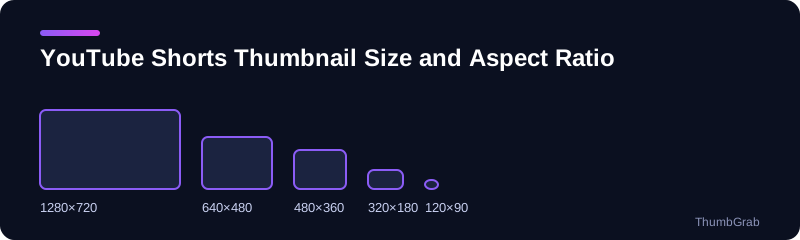
The public preview images YouTube serves for a video follow a fixed set of file names and sizes, and they do for Shorts as well. In our own check of a real Short they came back as 1280×720, 640×480, 480×360, 320×180 and 120×90. These are the files that blogs, search tools and link previews use, and they are what a downloader can fetch.
| File | Resolution | Ratio |
|---|---|---|
| maxresdefault | 1280×720 | 16:9 |
| sddefault | 640×480 | 4:3 (black bars) |
| hqdefault | 480×360 | 4:3 (black bars) |
| mqdefault | 320×180 | 16:9 |
| default | 120×90 | 4:3 |
Which one to download
Take the biggest size the list shows. ThumbGrab prints the real resolution next to each file, so if a size does not exist for your Short it is marked unavailable instead of being faked. If you plan to replace the thumbnail afterwards, read how to change a Shorts thumbnail.
Where the official numbers come from
The vertical 9:16 recommendation and the other upload rules are published on YouTube's own help page on thumbnails. That page is maintained by YouTube and can change, so use it as the source for design decisions and use a downloader only to see which files YouTube serves for a video. Mixing the two leads to the common mistake of designing a 1280×720 image for a vertical format.
Why two different answers
When people ask about the size of a Shorts thumbnail they usually mean one of two things. The first is the size a creator should design for, which is vertical. The second is the size of the image that YouTube serves when a page, an app or a downloader asks for the preview. The two are not the same file, and mixing them up is the most common source of confusion.
Designing for a vertical frame
- Keep the subject in the middle of the frame so that nothing important is cropped.
- Leave margins around any text. Interface elements cover part of a Short while it plays.
- Judge the result on a phone screen, because that is where most Shorts are watched.
Frequently asked questions
What is the size of a YouTube Shorts thumbnail?
YouTube's help page lists a vertical 9:16 format, with 2160×3840 as the recommended size. The preview files that can be downloaded come in sizes from 1280×720 down to 120×90.
What aspect ratio is a Short?
9:16, which is vertical. The standard preview files YouTube serves are 16:9 or 4:3.
Which Shorts thumbnail size should I download?
The largest one listed, normally 1280×720. ThumbGrab prints the real resolution next to every file.
Does the thumbnail size change the video quality?
No. The thumbnail is a separate image and has no effect on the video's resolution.
Where can I check the official size?
On YouTube's own help page about thumbnails, which is updated by YouTube from time to time.
Keep reading
- Next guide: How to change a Shorts thumbnail
- The tool for this topic: YouTube Shorts thumbnail downloader
- Back to the thumbgrabpro.pages.dev