Get a YouTube Thumbnail from a URL or Video ID — paste a link, copy the image URL
Paste a YouTube video URL or an 11-character video ID and ThumbGrab lists every thumbnail size with a direct image URL you can copy or a file you can download. Free, no account.
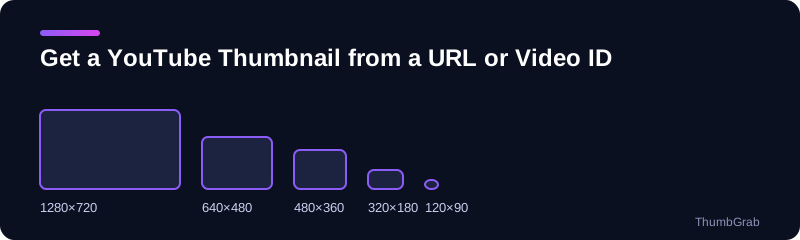
Available sizes honest labels
Which links and IDs work
Paste whatever you have: a youtube.com watch link, a short youtu.be link, a Shorts link or the plain 11-character video ID. The ID is the part that identifies the video, so the tool needs nothing else.
What you get back
For every thumbnail size that exists you get the resolution, a preview, a button to download the file with a clean name, and the direct image URL to copy. That URL points to YouTube's public image servers, so you can use it to embed the image or to document a source without downloading anything first.
Prefer to build the URL yourself?
The address always follows a fixed pattern based on the video ID. The guides below show the pattern, how to find an ID, and how to embed a thumbnail in a web page.
Tips for working with thumbnail URLs
- Copy the image URL of the size that exists, not the one you assume exists.
- Use the 480×360 file as a safe fallback, because it exists for every video.
- Remember that the image belongs to the video's creator.
Why paste the link instead of guessing
The address pattern is easy to build, but guessing which size exists wastes time. ThumbGrab asks YouTube's public image servers which files are really there and lists only those, with the resolution next to each one. You get a working direct image URL for every size, a download with a clean filename, and a preview so you know you have the right video before you copy anything.
Three ways to start from a link
A person who wants to get a YouTube thumbnail from a URL usually has one of three things in hand. The first is a full watch link copied from the browser bar. The second is a short youtu.be link from a message or a social post. The third is only the video ID, the 11-character code. ThumbGrab accepts all three, including Shorts links, so you do not have to clean anything before you paste.
What happens when you paste a link
The tool extracts the video ID, asks YouTube's public image servers which thumbnail files exist for it and loads the title and channel name so you can confirm you have the right video. Each size appears as a card with a preview, its real resolution, a download button and a button that copies the direct image URL. Nothing is stored on our side, and nothing is sent anywhere except to YouTube's public servers.
Direct image URLs, explained
The image URL points to a file on YouTube's image servers. It follows a fixed pattern based on the video ID and the file name, which is why it is easy to use in a document, a spreadsheet or a web page. If you copy the URL for a size that does not exist, the link will return an error, so it is best to copy the address of a size the tool actually lists.
Frequent mistakes
- Copying the address of a playlist or channel instead of a single video.
- Adding extra characters after the ID, such as a timestamp or a tracking tag.
- Assuming every video has a 1280×720 file when some only have smaller ones.
Using thumbnail URLs in documents and tools
A direct image URL is handy wherever a link to an image is accepted: a spreadsheet that previews images, a content management system, a notes app, a slide deck or a research database. Instead of downloading and uploading the file again, you paste the address. Because the address is built from the video ID, it also lets you store only the ID in a database and rebuild the image link whenever you need it.
How this differs from using the YouTube API
YouTube's data API can return thumbnail addresses for a video, but it requires a project, a key and code. For a single video or a handful of them, pasting the link into this page is faster and needs nothing installed. If you are building an application that handles thousands of videos, the guides below show the address pattern and how to handle files that do not exist.
Check the video before you share the link
Unlisted videos have thumbnails that can be fetched if you know the ID, so be careful when you share an image address from a video that you meant to keep private. Private and removed videos do not return a thumbnail at all.
How do I get the thumbnail URL of a YouTube video?
To get a YouTube thumbnail from a URL, paste the video link above and every available size appears with a direct image URL. You can also build the address yourself from the video ID, as shown in the guide on the YouTube thumbnail URL from a video ID, or copy it from the list as explained in how to copy a YouTube thumbnail URL.
How do I get a thumbnail from a YouTube video URL on Android?
To get a thumbnail from a URL on a phone, in the YouTube app tap Share and Copy link, open this page in your phone's browser, paste the link and tap the size you want. The same steps work on an iPhone.
Can I get a YouTube thumbnail with JavaScript?
Yes. Because the address depends only on the video ID and a file name, a script can build it without calling any API. The guide on how to embed a YouTube thumbnail in HTML and JavaScript shows the pattern and a fallback for files that do not exist.
Learn more
- YouTube thumbnail URL from a video ID: the URL pattern and every file name.
- How to find a YouTube video ID: where the ID hides in every link format.
- Embed a YouTube thumbnail in HTML or JavaScript: HTML, Markdown and JavaScript snippets with a fallback.
- How to copy a YouTube thumbnail URL: copying the direct image link instead of the file.
- Free YouTube thumbnail downloader: the main tool for any video.
Frequently asked questions
How do I get the thumbnail URL of a YouTube video?
Paste the video link into the box above. Every available size is listed with a direct image URL you can copy.
What is a YouTube video ID?
It is the 11-character code that identifies one video, for example the part after v= in a watch link or after the slash in a youtu.be link.
Can I use the thumbnail URL on my own website?
Technically yes, since it is a public image address, but the image belongs to its creator. Check the rules on reuse before you publish it.
Why does one of the sizes say unavailable?
Not every video has every file. The 1280×720 render in particular is missing for some older or standard-definition uploads, so ThumbGrab marks it instead of serving a placeholder.
How do I get a thumbnail from a YouTube video URL on Android?
Tap Share and Copy link in the YouTube app, paste the link into this page in your phone's browser and tap the size you want.
Can I copy the thumbnail URL instead of downloading the file?
Yes. Each size has a copy button that gives you its direct image URL.