Do YouTube Shorts Have a Thumbnail?
Yes, every Short has a thumbnail, even though you rarely notice it while scrolling the feed. Here is where it shows up and how to see or save it.
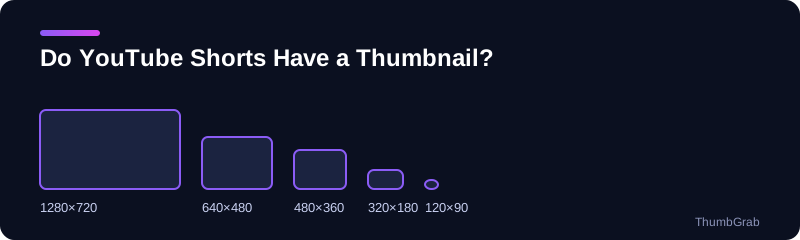
Where a Short's thumbnail appears
A Short plays automatically in the Shorts feed, so the cover image is not obvious there. It appears on the channel's Shorts tab, in search results, in playlists and in links shared outside YouTube. That is why a clear cover still matters for a Short, even though most views start in the feed.
How the thumbnail is chosen
By default YouTube picks a frame from the video. According to YouTube's help page, creators can set a custom thumbnail for a Short in YouTube Studio on a computer. The options in the phone app are narrower and change between versions, so check what your version offers. The next guides cover the size of a Shorts thumbnail and how to change it.
How to see and save it
- Copy the Short's link from the Share menu.
- Paste it into the yt thumbnail downloader and press Get thumbnails.
- Choose the largest size listed and press Download.
The same ID-based files exist for a Short as for any other video, up to 1280×720 when an HD file was generated.
A note on privacy
Only public Shorts have thumbnails that can be fetched. A private or removed Short returns nothing, and an unlisted one can be fetched by anyone who knows its link, so share links carefully.
Why people look for a Short's thumbnail
Creators want to keep an archive of the covers of their Shorts. Researchers and marketers want to see how other channels present theirs. Editors want a preview image for an article about a Short. In each case the quickest route is the Short's own link and a tool that lists the real files.
What to expect from the files
For a Short that was published a while ago you can usually expect the whole ladder of preview files, from the small 120×90 image up to the 1280×720 render. A Short that was published minutes ago may only have the small ones for a short time, and a very low-resolution upload may never get the large one. Whatever exists, the list shows the real resolution next to each file, so you can decide quickly which one is worth saving. If you plan to compare several Shorts from the same channel, download the largest size of each and keep the original filenames, which contain the title and the resolution.
Frequently asked questions
Do YouTube Shorts have a thumbnail?
Yes. Every Short has a cover image, shown on the channel page, in search results, in playlists and in shared links.
Where do I see a Short's thumbnail?
On the channel's Shorts tab and in search results. To save it, paste the Short's link into ThumbGrab.
Can I set a custom thumbnail for a Short?
According to YouTube's help page, custom Shorts thumbnails are set in YouTube Studio on a computer.
Which size does a Short's thumbnail have?
The recommended upload shape is vertical, 9:16. The preview files served for download go up to 1280×720.
Does a new Short have all the sizes immediately?
Not always. Very new videos may only have small files for a short while, so try again a little later.
Keep reading
- The tool for this topic: YouTube Shorts thumbnail downloader
- Back to the yt thumbnail downloader